
Every payment,
on the right invoice.
Payra matches every deposit to the right open invoices, reads the remittance for you, and sends it all to your ERP in one batch. No spreadsheets. No retyping.
Every deposit,
one queue.
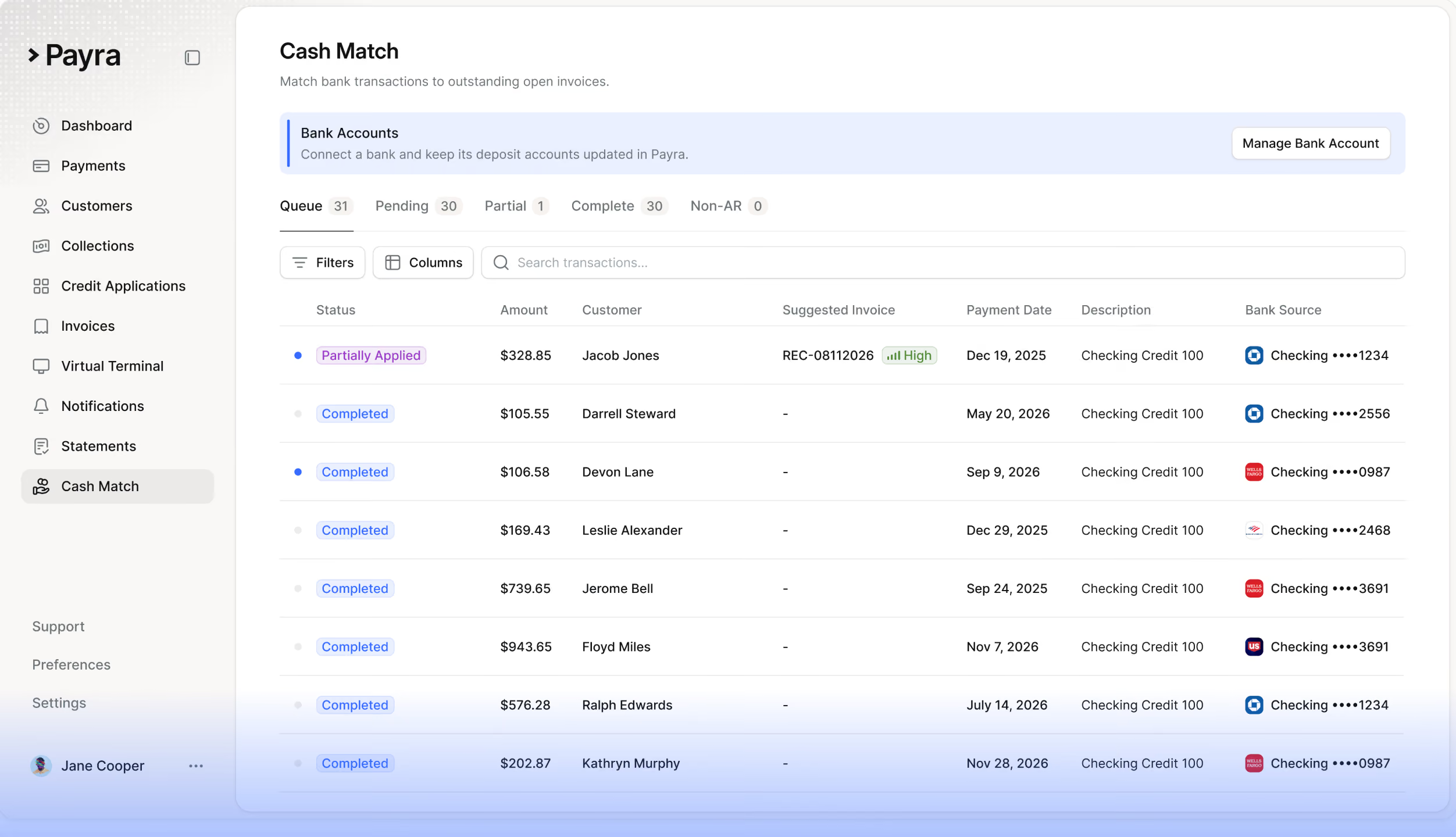
Everything that hits your bank account lands in one place, with the payer, the amount, and the account it came into.
It reads the
remittance for you.
Emails, PDFs, check images, spreadsheets. Payra pulls out the details and works out who paid from the payer name, their history, and the invoices they owe.
One payment.
Every invoice it covers.
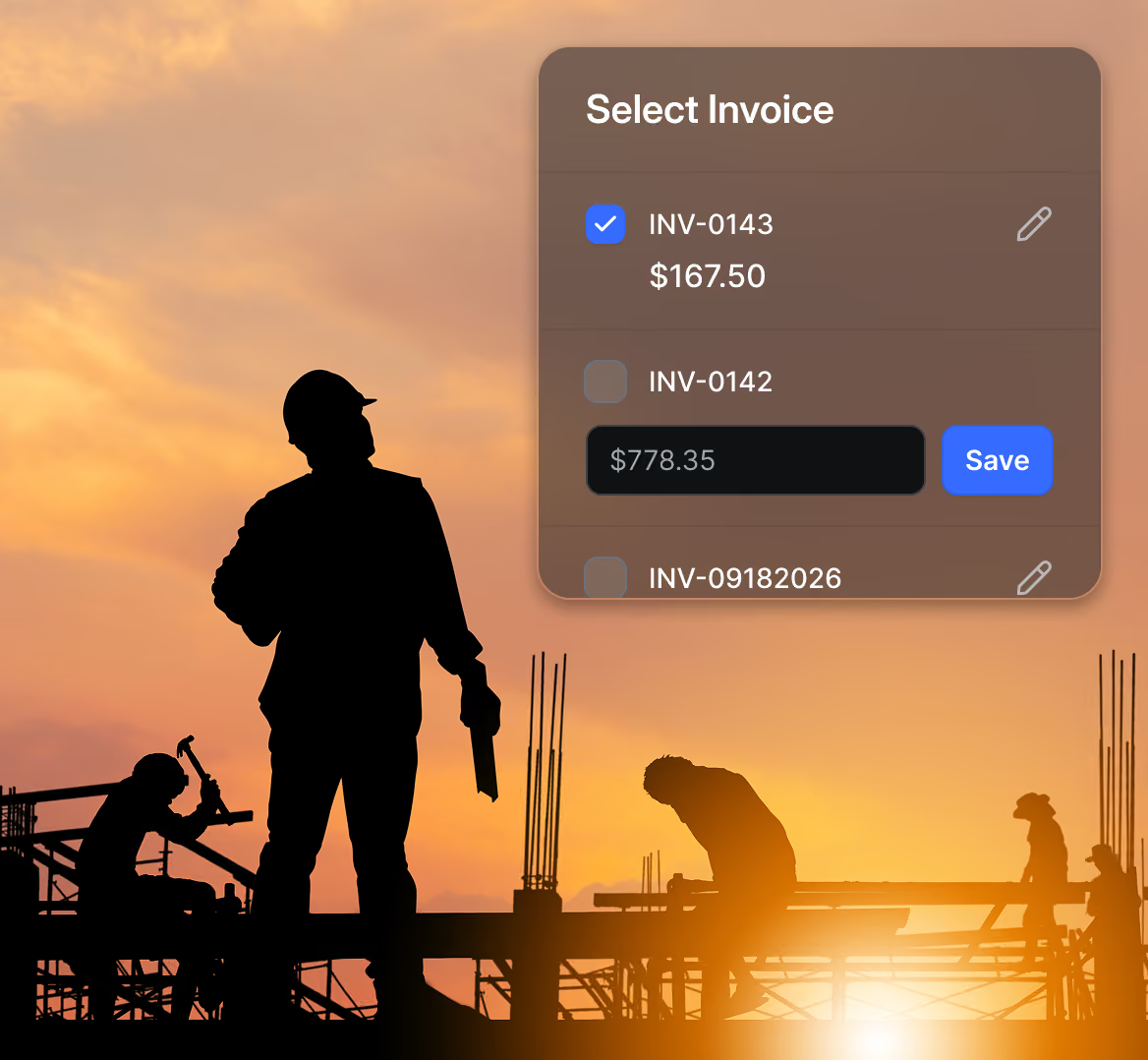
Payra suggests how to split each payment across open invoices. If the numbers don’t add up, it tells you before anything moves.
Only the unclear
ones wait for you.
Every match shows how confident Payra is. High ones are ready to go. Uncertain ones tell you exactly what to check.
Sent to your ERP
in one batch.
Confirm and jump to the next one right from your keyboard. When the day’s matches are done, send them all to your ERP in one click.

Month-end stops
being a marathon.
Match payments as they arrive, send them to your ERP every day, and close the month without the spreadsheet.
99%
3 weeks
40%
What changes on
Monday morning.
Before
With Payra
Built for the way your
team actually works.
Knows who paid.
Payra suggests the customer from the payer name, their payment history, and the invoices they owe.
Remittance in one place.
Emails, PDFs, check images, and spreadsheets, attached to the payment they belong to.
Split and partial payments.
Spread one payment across as many invoices as it covers. Anything left over stays visible as unallocated.
Confidence you can see.
Every match is marked High or Uncertain, with the reason when it needs a look.
Non-AR, out of the way.
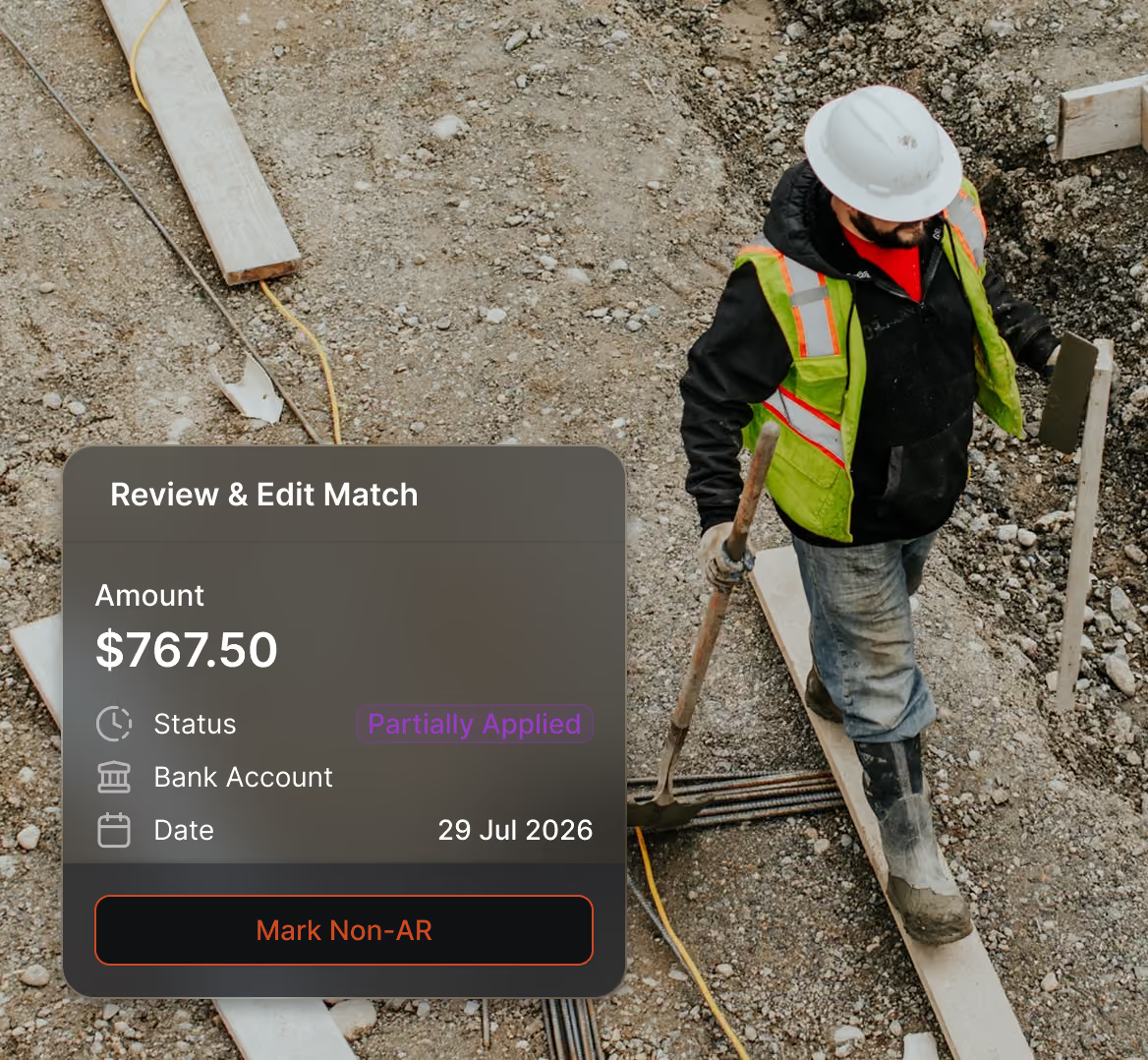
Mark deposits that aren’t customer payments so they never clutter your receivables.
Fast by design.
Keyboard shortcuts to move through the queue, and every change saved as you go.







“We shipped a month early and nobody on the team had to pull a single late night.”
“We shipped a month early and nobody on the team had to pull a single late night.”
“We shipped a month early and nobody on the team had to pull a single late night.”
“We shipped a month early and nobody on the team had to pull a single late night.”


%20(1).webp)
Questions,
answered.
Does anything post to our ERP without us seeing it?
No. You review the matches and send them to your ERP in batches, so nothing lands in your books without your OK.
What does Payra use to match a payment?
The payer name, the amount, the remittance, and the customer's payment history, checked against their open invoices.
What if Payra can't tell who paid?
The match is marked Uncertain and waits in your review queue with the reason. You pick the customer and move on.
Can one payment cover several invoices?
Yes. Payra splits it across every invoice it covers. Anything left over stays visible as unallocated.
What about deposits that aren't customer payments?
Mark them as Non-AR. They leave the queue and stay out of your receivables.
How long does it take to go live?
About three weeks from kickoff, depending on your ERP and how your team works today.

See it in your ERP.
15 minutes, no commitment. We’ll show you the integration with your ERP and a realistic path to go live.